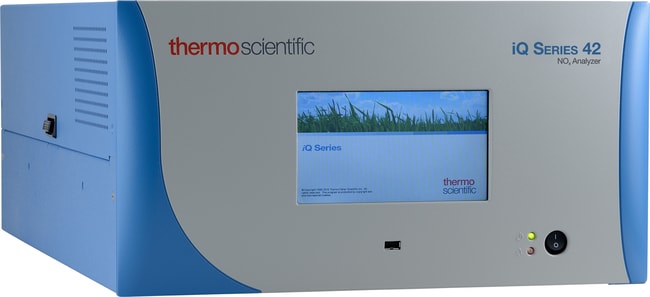
42iQD NOx Analyzer
42iQD NOx Analyzer
Thermo Scientific™

42iQD NOx Analyzer

This product has been discontinued. We will offer technical support and service support as allowed by parts availability.
Have Questions?
Catalog number 42IQD
Price (CNY)
-
This product has been discontinued. We will offer technical support and service support as allowed by parts availability.
Specifications
Description42iQD NOx Analyzer
Unit SizeEach

Frequently asked questions (FAQs)

In the iQ Series Gas Analyzer instruments, which distributed measurement and control (DMC) modules are serialized?

The serialized DMCs are unique to your analyzer and its configuration. To understand which DMCs are serialized within your instrument, navigate to the “Health Check” menu via the “Settings” button on the home screen or the health check button on the status bar. From the “Health Check” menu, click on “Status and Alarms”. The analyzer's serialized DMCs can be found by clicking on the “Serial Numbers” button.

When will the iQ Series Gas Analyzer instrument platform notify me of a maintenance requirement?

The embedded preventive maintenance schedule provides a warning when an item gets within 2 months of the replacement date. At that time, the line in the schedule will turn yellow and throw a “gear icon” notification to the status bar. The line will change from yellow to red once the item gets within 1 month of the replacement date. The “gear” icon will remain in place unless some activity is done to clear it.

Can I assign a name to the iQ Series Gas Analyzer instrument?

There are a couple of ways to uniquely identify each instrument. The “instrument ID” or Modbus device ID is a user editable, numeric string. The instrument “host name” is a user editable alpha-numeric string for mobile search functionality. The “host name” can be used to access the instrument over TCP/IP but data download file names and reports will only reference the instrument serial number.

Is there a way to obtain the configuration settings for iQ Series Gas Analyzer instruments?

The iQ Series Gas Analyzer instrument configuration settings can be downloaded from the analyzer to a USB memory device.

Do alarms prioritize in the iQ Series Gas Analyzer instruments?

There is no prioritization to the assignment of alarm or maintenance notifications by the iQ Series Gas Analyzer instruments, however, the way that those events generate email notifications is different. Upon power up, the analyzer waits 2 hrs to clear any alarms prior to sending any email notifications. Post start-up sequence, an alarm needs to be active for 5 continuous mins at which time an email notification will be generated and sent. The instrument will reflect an alarm condition on the status bar at any point that the instrument meets those alarm conditions, but an email will not be generated until any single alarm condition has existed for 5 continuous mins. Maintenance notifications generated by either predictive diagnostics or the embedded preventive maintenance schedule behave in the same manner, except that the alert must be active for 24 hrs prior to an email notification being sent.