Search

Ion Torrent™
Ion 510™ & Ion 520™ & Ion 530™ Kit – Chef (1 sequencing run per initialization)
The Ion 510 & Ion 520 & Ion 530 Kit-Chef (1 sequencing run per initialization) enables robust and automated templateRead more
| Catalog Number | Quantity |
|---|---|
| A34019 | 8 Reactions |
Catalog number A34019
Price (CNY)
-
Quantity:
8 Reactions
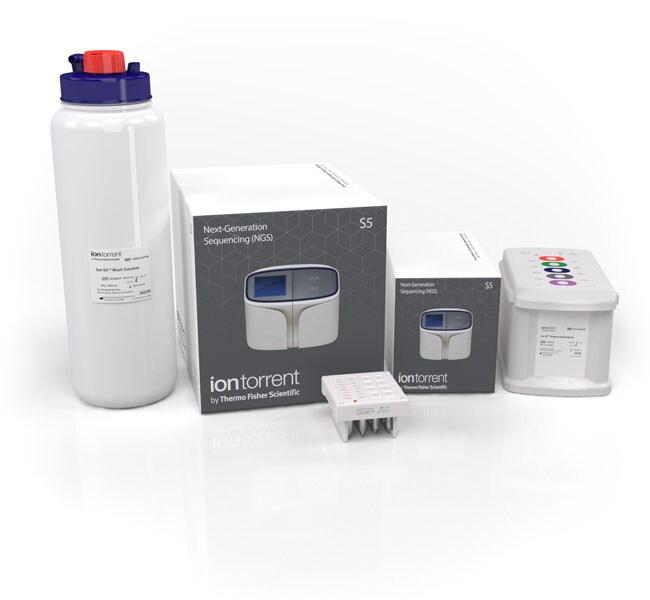
The Ion 510 & Ion 520 & Ion 530 Kit-Chef (1 sequencing run per initialization) enables robust and automated template preparation and sequencing of up to 400 base-read libraries using the Ion Chef System and the Ion S5 or Ion S5 XL sequencing system. The Ion 510 & Ion 520 & Ion 530 Kit contains pre-packaged single-use template and sequencing reagent cartridges with integrated sample tracking, delivering an automated workflow for sequencing of 8 loaded chips with complete run traceability. This kit accommodates 1 sequencing run per initialization. For 2 sequencing runs per initialization (200 base-read applications only), see Cat. No. A34461.
The Ion 510 & Ion 520 & Ion 530 Kit-Chef workflow:
• Provides template preparation and chip loading reagents for up to 400 base-read libraries
• Simplifies your research with ready-to-use, disposable reagent cartridges for sequencing
• Enables fast and simple sequencing instrument set-up, with less than 15 minutes hands-on time
• Leverages the latest advancements in data quality and accuracy
• Maximizes flexibility with compatibility for the Ion 510, Ion 520, and Ion 530 chips
The Ion S5 and Ion S5 XL sequencers, along with the Ion Chef System, offer reproducible sequencing workflows, with minimal hands-on time. Choose to pair the Ion 510 & Ion 520 & Ion 530 Kit with the Ion 510 Chip Kit (up to 3 million reads per chip), the Ion 520 Chip Kit (up to 5 million reads per chip), or Ion 530 Chip Kit (up to 20 million reads), allowing for flexibility of total throughput. For even greater flexibility, combine different chip types in a single Ion Chef run when using Torrent Suite Software 5.6 and above. For de novo research applications, add the Ion S5 Calibration Standard to prepared libraries for improved base-calling accuracy.
The Ion 510 & Ion 520 & Ion 530 Kit-Chef workflow:
• Provides template preparation and chip loading reagents for up to 400 base-read libraries
• Simplifies your research with ready-to-use, disposable reagent cartridges for sequencing
• Enables fast and simple sequencing instrument set-up, with less than 15 minutes hands-on time
• Leverages the latest advancements in data quality and accuracy
• Maximizes flexibility with compatibility for the Ion 510, Ion 520, and Ion 530 chips
The Ion S5 and Ion S5 XL sequencers, along with the Ion Chef System, offer reproducible sequencing workflows, with minimal hands-on time. Choose to pair the Ion 510 & Ion 520 & Ion 530 Kit with the Ion 510 Chip Kit (up to 3 million reads per chip), the Ion 520 Chip Kit (up to 5 million reads per chip), or Ion 530 Chip Kit (up to 20 million reads), allowing for flexibility of total throughput. For even greater flexibility, combine different chip types in a single Ion Chef run when using Torrent Suite Software 5.6 and above. For de novo research applications, add the Ion S5 Calibration Standard to prepared libraries for improved base-calling accuracy.
For Research Use Only. Not for use in diagnostic procedures.
Specifications
Product TypeChef Kit
Quantity8 Reactions
Shipping ConditionApproved for shipment at Room Temperature or on Wet Ice
Throughput400 Base-Read Libraries
Product LineIon Chef, Ion Torrent
Software TypeTorrent Suite Software 5.6
Unit SizeEach
Contents & Storage
• Ion S5 Chef supplies, store at room temperature
• Ion S5 Chef solutions, store at room temperature
• Ion 510 and Ion 520 and Ion 530 Chef reagents, store at -5 to -30°C
• Ion S5 Sequencing solutions, store at room temperature
• Ion S5 Sequencing reagents, store at -5 to -30°C
• Ion S5 Chef solutions, store at room temperature
• Ion 510 and Ion 520 and Ion 530 Chef reagents, store at -5 to -30°C
• Ion S5 Sequencing solutions, store at room temperature
• Ion S5 Sequencing reagents, store at -5 to -30°C