Search

Ion Torrent™
Ion 550™ Chip Kit
| Catalog Number | Quantity |
|---|---|
| A34538 | 8 Chips |
Catalog number A34538
Price (CNY)
119,272.00
Each
Quantity:
8 Chips
Price (CNY)
119,272.00
Each
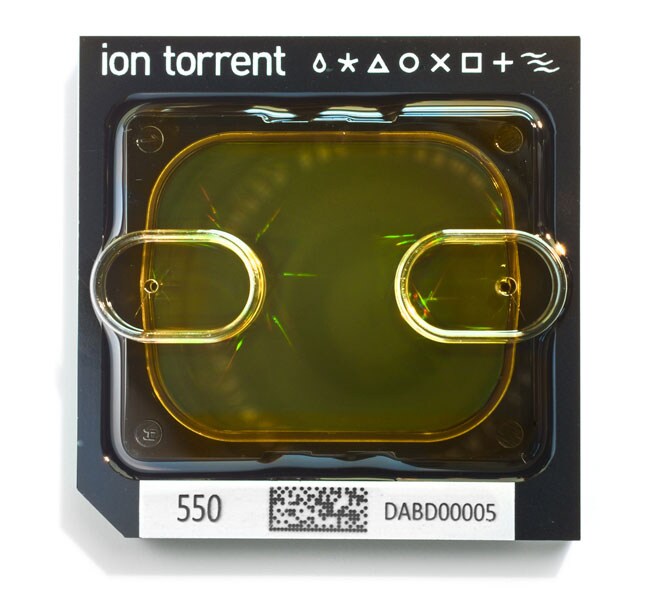
The Ion 550 Chip Kit contains four (Cat. No. A34537) or eight (Cat. No. A34538) barcoded chips for sample tracking and sequencing with the Ion GeneStudio S5 Plus, the Ion GeneStudio S5 Prime, and Ion S5 XL sequencing systems. The Ion 550 Chip generates 100–130 million sequencing reads by electronically detecting polymerase-driven base incorporation without the use of fluorescence. By eliminating the use of an optical detection system, this advance in next-generation sequencing technology allows for rapid sequencing times of as little as 2.5 hours for 200 bp sequencing.
The Ion 550 Chip Kit offers:
• Support for a variety of research applications, including sequencing of up to four human exomes, cell-free nucleic acid applications, transcriptome profiling, and targeted resequencing of gene panels
• A rapid run-time of as little as 2.5 hours for 200 bp sequencing
• Sample tracking functionality from an integrated barcode
Notes:The Ion 550 Chip is only compatible with the Ion GeneStudio S5 Plus, Ion GeneStudio S5 Prime, and Ion S5 XL systems.
Use this chip with the Ion 550 Kit—Chef for automated template preparation and chip loading.
The Ion 550 Chip Kit offers:
• Support for a variety of research applications, including sequencing of up to four human exomes, cell-free nucleic acid applications, transcriptome profiling, and targeted resequencing of gene panels
• A rapid run-time of as little as 2.5 hours for 200 bp sequencing
• Sample tracking functionality from an integrated barcode
Notes:The Ion 550 Chip is only compatible with the Ion GeneStudio S5 Plus, Ion GeneStudio S5 Prime, and Ion S5 XL systems.
Use this chip with the Ion 550 Kit—Chef for automated template preparation and chip loading.
Specifications
For Use With (Application)Comparative Sequencing (Germline Mutations - 50:50)
For Use With (Equipment)Ion GeneStudio S5 Plus, Ion GeneStudio S5 Prime, Ion S5 XL Sequencing System
Product TypeChip Kit
Quantity8 Chips
Shipping ConditionRoom Temperature
Product LineIon Torrent
Unit SizeEach
Contents & Storage
Store at room temperature.