Search

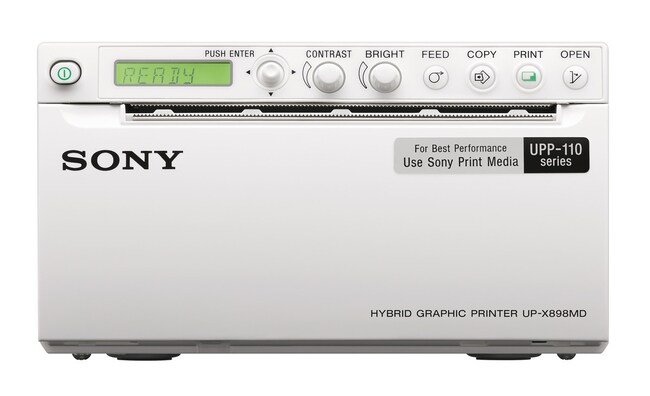
Thermal Printer for iBright and iGlow Imaging Systems
This high-speed and compact thermal printer is plug-and-play and connects directly to an iBright Imaging System.
| Catalog Number | Quantity |
|---|---|
| A45235 | 1 printer |
Catalog number A45235
Price (CNY)
-
Quantity:
1 printer
The Sony UP-X898MD Digital Graphic Printer is a thermal printer that supports direct printing from iBright and iGlow Imaging Systems. Capable of delivering high quality black and white prints in less than two seconds, this high-speed and compact printer is plug-and-play and connects directly to iBright and iGlow Imaging Systems through one of the available USB ports. Print high-quality images in seconds with no need for a network connection. Images in the view port print as displayed with current zoom level and analysis annotations preserved.
Features of the Digital Graphic Printer include:
- High-speed printing—prints 320 mm x 100 mm images in approximately two seconds
- Compact, space-saving design (88 mm x 154 mm x 240 mm (HxWxD))
- High-density 325 dpi printing (1280 x 500 pixels)
- 256 grey-scale levels
- USB 2.0 interface
For Research Use Only. Not for use in diagnostic procedures.
Specifications
CapacityUp to 254
Dimensions3.46 x 6.06 x 9.45 in (88 x 154 x 240 mm)
For Use With (Equipment)iBright and iGlow Imaging Systems
Quantity1 printer
Resolution325 DPI
Shipping ConditionRoom Temperature
Weight (English)5.5 lb
Weight (Metric)2.5 kg
For Use With (Application)Chemiluminescent Western Blot Imaging, DNA Gel Imaging, Protein Gel Imaging
Product LineiBright
Product TypeImaging System
Unit SizeEach