Search

Applied Biosystems™
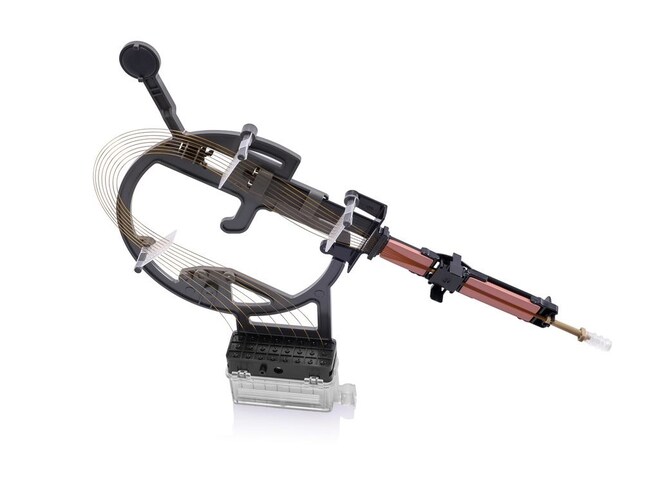
SeqStudio™ Flex Genetic Analyzer 8-Capillary Array
An internally uncoated array for use with the SeqStudio 8 Flex Genetic Analyzer for fragment analysis, sequencing, and protein quality analysis applications. The capillaries in this array are 36 or 50 cm in length and supplied in preassembled sets of 8 capillaries per array.
Have Questions?
Change view

| Catalog Number | Capillary Length |
|---|---|
| A49104 | 36 cm |
| A49106 | 50 cm |
Catalog number A49104
Price (CNY)
26,828.00
Each
Capillary Length:
36 cm
Price (CNY)
26,828.00
Each
This array is an internally uncoated array for use with the SeqStudio 8 Flex Genetic Analyzer for fragment analysis, sequencing, and protein quality analysis applications. The capillaries in this array are either 36 or 50 cm in length and supplied in preassembled sets of 8 capillaries per array, with a built-in frame for easy installation.
This array is an internally uncoated array for use with the SeqStudio 8 Flex Genetic Analyzer for fragment analysis, sequencing, and protein quality analysis applications. The capillaries in this array are 36 or 50 cm in length and supplied in preassembled sets of 8 capillaries per array, with a built-in frame for easy installation.
SeqStudio Flex capillary arrays have an improved design that makes the installation process easier and more error proof compared to 3500 system capillary arrays. The improved capillary frame provides a better user experience by minimizing the risk of capillary damage and incorrect placement (figure below).
The SeqStudio Flex 50-cm arrays have been optimized for many applications and for use with POP-7, POP-6, and POP-4 polymer run modules. This provides users with the flexibility to select their ideal run times and read lengths. See the figure below for more detailed information on optimal configurations of the run module, polymer, and array length.
Like 3500 system arrays, SeqStudio Flex capillary arrays include integrated radio frequency identification (RFID) tags on the labels that enable viewing, tracking, and reporting of critical information about reagents and consumables, including usage, lot number, part number, expiration date, and on-instrument lifetime. The RFID labels also enable the Data Collection Software to remind users to replace the array when it is expired or exceeds the recommended usage limit.
SeqStudio Flex capillary arrays are specified for 160 injections.
SeqStudio Flex capillary arrays have an improved design that makes the installation process easier and more error proof compared to 3500 system capillary arrays. The improved capillary frame provides a better user experience by minimizing the risk of capillary damage and incorrect placement (figure below).
The SeqStudio Flex 50-cm arrays have been optimized for many applications and for use with POP-7, POP-6, and POP-4 polymer run modules. This provides users with the flexibility to select their ideal run times and read lengths. See the figure below for more detailed information on optimal configurations of the run module, polymer, and array length.
Like 3500 system arrays, SeqStudio Flex capillary arrays include integrated radio frequency identification (RFID) tags on the labels that enable viewing, tracking, and reporting of critical information about reagents and consumables, including usage, lot number, part number, expiration date, and on-instrument lifetime. The RFID labels also enable the Data Collection Software to remind users to replace the array when it is expired or exceeds the recommended usage limit.
SeqStudio Flex capillary arrays are specified for 160 injections.
Specifications
Capillary Length36 cm
For Use With (Application)Human Identification, Sequencing, Fragment Analysis
For Use With (Equipment)SeqStudio™ Flex 8-cap Genetic Analyzer
Number of CapillariesSet of 8 capillaries
Quantity1 array
Unit SizeEach