Search

Applied Biosystems™
QuantStudio™ Absolute Q™ MAP16 Plate Kit and Master Mix
The Applied Biosystems QuantStudio Absolute Q MAP16 Plate Kit is a key component of the QuantStudio Absolute Q Digital PCRRead more
| Catalog Number | Quantity |
|---|---|
| A53301 | 12 plates |
Catalog number A53301
Price (CNY)
-
Quantity:
12 plates
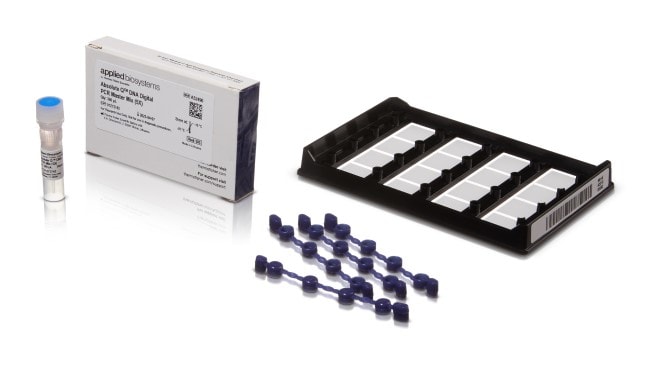
The Applied Biosystems QuantStudio Absolute Q MAP16 Plate Kit is a key component of the QuantStudio Absolute Q Digital PCR System. The system is powered by the patented microfluidic array plate (MAP) technology that enables consistent and automated separation of the sample into 20,000 microchambers with industry leading <1% coefficient of variation (CV). The QuantStudio Absolute Q MAP16 consumable uses microinjection-molded plates to overcome common challenges of inconsistency and high dead volume. This novel approach provides many benefits including: precise microchamber volume, consistent sample distribution, and greater than 98% of loaded volume analyzed.
This package product includes QuantStudio Absolute Q DNA Master Mix, which is optimized for use with the QuantStudio Absolute Q Digital PCR System and Applied Biosystems digital PCR (dPCR) assays in a simple workflow with minimal processing steps. The 5X formulation enables analysis of higher sample volumes and delivers accurate quantification of DNA targets without using a standard curve. Learn more about this master mix
The unparalleled precision and accuracy of the Absolute Q system provides confidence in measurements across replicates and experiments.
This package product includes QuantStudio Absolute Q DNA Master Mix, which is optimized for use with the QuantStudio Absolute Q Digital PCR System and Applied Biosystems digital PCR (dPCR) assays in a simple workflow with minimal processing steps. The 5X formulation enables analysis of higher sample volumes and delivers accurate quantification of DNA targets without using a standard curve. Learn more about this master mix
The unparalleled precision and accuracy of the Absolute Q system provides confidence in measurements across replicates and experiments.
For Research Use Only. Not for use in diagnostic procedures
Specifications
For Use With (Application)Digital PCR
Includes12 MAP16 Plates, Gaskets, Isolation Buffer, and Absolute Q™ DNA Digital PCR Master Mix
Quantity12 plates
Unit SizeEach