Search

Applied Biosystems™
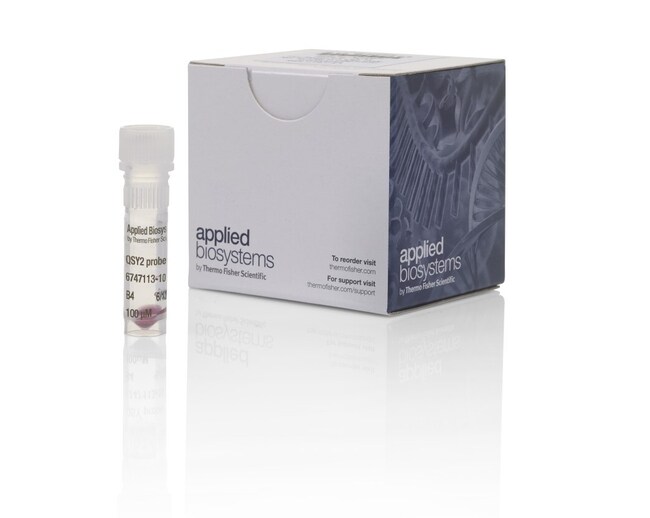
TaqMan™ QSY 探针
Applied Biosystems TaqMan QSY 探针是用于实时荧光定量 PCR 的双标记探针。TaqMan QSY 探针可为多重了解更多信息
Have Questions?
更改视图

| 货号 | 产品类型 | 数量 |
|---|---|---|
| A56899 | QSY2 Probe | 6000 pmole |
| 4482777 | QSY 探头 | 6,000 pmol |
| 4482778 | QSY 探头 | 20,000 pmol |
| 4482779 | QSY 探头 | 50,000 pmol |
| A56900 | QSY2 Probe | 20,000 pmol |
| A56901 | QSY2 Probe | 50,000 pmol |
货号 A56899
价格(CNY)
3,002.00
Each
产品类型:
QSY2 Probe
数量:
6000 pmole
Applied Biosystems TaqMan QSY 探针是用于实时荧光定量 PCR 的双标记探针。TaqMan QSY 探针可为多重 qPCR 实验提供卓越的灵敏度和性能。诸如黑洞淬灭基团(Black Hole Quencher,以下简称 BHQ™)的暗淬灭探针的用户可以设计自定义 QSY 探针,而无需更改探针序列。
所有 TaqMan QSY 探针均经过 HPLC 纯化,并已通过质谱法验证,可确保各批间批次间的重现性。20多年来,Thermo Fisher Scientific 始终是 qPCR 探针制造领域的领导者。精通于在经过 ISO 13485 认证的设施中合称探针。
TaqMan QSY 探针的特点包括:
•灵敏度—因背景信号低和信号增强具有较好的灵敏度
• 具有良好的多重测定性能—只需一次反应即可检测多重多个基因靶点
• 有多种染料可供选择,是 Applied Biosystems qPCR 仪器滤波器的理想选择—TaqMan qPCR 染料与 Applied Biosystems qPCR 仪器高度匹配,能改善荧光信号,尤其是低表达基因靶标
• 灵活性—在单次反应中,使您的多重 qPCR 探针能与多达2种 MGB 探针或4种 QSY 探针进行混合并匹配
• 快速启动—BHQ 探针序列可以转换为 QSY 探针,无需重新设计
性能不受影响
使用 TaqMan QSY 探针进行多重测定可节约成本和有限的样本,已证明定量检测基因时,单管反应与4重反应产生的结果相当。
了解更多关于多重实时荧光定量 PCR 的信息›
保证收率
根据提供的最低量来选择所需单位规格,而非根据合成起始量。
预计运输时间
北美4–6天、欧洲5-10天
。我们还提供 Applied Biosystems 定制引物和其他类型的 TaqMan 探针。了解更多 ›
需要不同染料或浓度或更大批次吗?TaqMan 定制检测试剂盒和寡核苷酸服务提供定制产品,可满足您的实验需求。了解更多 ›
所有 TaqMan QSY 探针均经过 HPLC 纯化,并已通过质谱法验证,可确保各批间批次间的重现性。20多年来,Thermo Fisher Scientific 始终是 qPCR 探针制造领域的领导者。精通于在经过 ISO 13485 认证的设施中合称探针。
TaqMan QSY 探针的特点包括:
•灵敏度—因背景信号低和信号增强具有较好的灵敏度
• 具有良好的多重测定性能—只需一次反应即可检测多重多个基因靶点
• 有多种染料可供选择,是 Applied Biosystems qPCR 仪器滤波器的理想选择—TaqMan qPCR 染料与 Applied Biosystems qPCR 仪器高度匹配,能改善荧光信号,尤其是低表达基因靶标
• 灵活性—在单次反应中,使您的多重 qPCR 探针能与多达2种 MGB 探针或4种 QSY 探针进行混合并匹配
• 快速启动—BHQ 探针序列可以转换为 QSY 探针,无需重新设计
性能不受影响
使用 TaqMan QSY 探针进行多重测定可节约成本和有限的样本,已证明定量检测基因时,单管反应与4重反应产生的结果相当。
了解更多关于多重实时荧光定量 PCR 的信息›
保证收率
根据提供的最低量来选择所需单位规格,而非根据合成起始量。
预计运输时间
北美4–6天、欧洲5-10天
。我们还提供 Applied Biosystems 定制引物和其他类型的 TaqMan 探针。了解更多 ›
需要不同染料或浓度或更大批次吗?TaqMan 定制检测试剂盒和寡核苷酸服务提供定制产品,可满足您的实验需求。了解更多 ›
仅供研究使用。
规格
3' 引物修改QSY 2
5' 引物修改Cyanine 5, Cyanine 5.5
适用于(设备)7500 系统、7500 Fast 系统、7900HT 系统、StepOne™、StepOnePlus™、ViiA™ 7 系统、QuantStudio™ 3、QuantStudio™ 5、QuantStudio™ 6 Flex、QuantStudio™ 7 Flex、QuantStudio 6 Pro、QuantStudio 7 Pro、QuantStudio™ 12k Flex
产品规格管装
内部探针修改无
产品线TaqMan
产品类型QSY2 Probe
纯化方法HPLC
数量6000 pmole
运输条件Room Temperature
检测方法引物-探针
形式液体或干燥
PCR 方法qPCR
反应速度快速
Unit SizeEach
内容与储存
1 tube containing a dual-labeled probe in solution or dried down. Store at –15°C to –25°C.