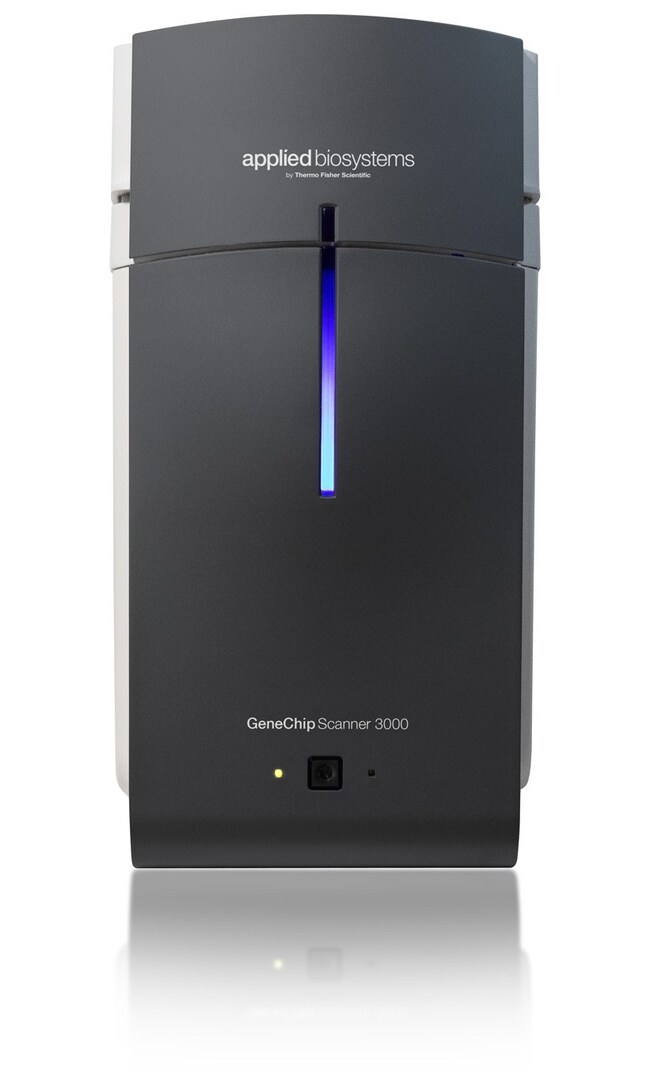
GeneChip™ 扫描仪 3000 7G
Applied Biosystems™

GeneChip™ 扫描仪 3000 7G

GeneChip 扫描仪 3000 7GApplied Biosystems GeneChip 扫描仪 3000 7G了解更多信息
Have Questions?
货号数量
00-02101 Ea.
货号 00-0210
价格(CNY)
-
申请报价
数量:
1 Ea.
GeneChip 扫描仪 3000 7G
Applied Biosystems GeneChip 扫描仪 3000 7G 是 GeneChip 扫描仪 3000 (GCS 3000) 系列的扩展,通过它,您可以扫描下一代高密度阵列,包括具有多达 900,000 个 SNP 的 SNP 阵列、用于转录的平铺阵列和用于全基因组分析的全外显子阵列。

GCS 3000 7G 结合了空间节省和其他速度方面的设计改进,具有卓越的性能和较低的扫描仪间差异,能够显著提高您的遗传学分析通量和效率。GCS 3000 7G 还提供了增强的自动聚焦功能和更一致的扫描仪间生物学性能,以增强数据完整性和研究人员之间的数据共享。

此外,GCS 3000 7G 还设计用于满足 GeneChip 探针阵列技术的未来发展需求。GCS 3000 7G 与 GeneChip 自动加载器结合使用,可提供样品跟踪、温度控制和无人值守式自由扫描。售卖该扫描仪时随附一个功能强大的计算机工作站(配备四核 Xeon 处理器,搭载 GeneChip 命令控制台软件 (AGCC))。购买价格包含一年服务协议。

GeneChip 扫描仪 3000 高分辨率扫描补丁
除非您已升级您的 GeneChip 扫描仪 3000 以进行高分辨率处理,否则请勿安装该补丁。

请注意:如果您计划分析从仪器工作站或为进行高分辨率处理而升级的服务器生成的阵列数据,您需要将此补丁安装至您的分析工作站。

此外,在安装所有新的库文件后,务必将高分辨率扫描补丁重新安装至 GCOS 工作站和服务器(如果适用)。
仅供科研使用。不可用于诊断程序。
规格
尺寸13 x 22 x 23 in. (33 x 56 x 58 cm)
产品线GeneChip™
数量1 Ea.
适用于(应用)GeneChip 阵列扫描
重量32 kg
Unit SizeEach

常见问题解答 (FAQ)

GCC (GeneChip Command Console) is not communicating with my GeneChip Scanner 3000 7G (Cat. No. 00-0210) during my fluidics run. How can I resolve this?

Since your fluidics is still running, there are a couple options you can try so that do not require shutting down and restarting the workstation:
1. Check that the static IP address is set:
- Go to Start > Control Panel > Network Connections.
- ​​​​​​​​​​​​​​Typically, there are 2 Local Area Connection icons (one for the internet and one for the scanner).
- Right-click on the Local Area Connection associated with the scanner, and choose Properties.
- From the dialog box that appears, scroll down to the bottom of the list box and highlight (single click) Internet Protocol (TCP/IP). Then click on the Properties button under the list box.
- Select the radio button "Use the following IP address" and then type in the IP Address text box 192.168.123.20, then click in the subnet mask text box which should auto-populate to 255.255.255.0.
- Click OK and OK again.
- You should not have to restart your computer

2. ​​​​​​​Check if the scanner and workstation will communicate outside of the GeneChip Command Console:
​​​​​​​​​​​​​​- Go to Start > Run. Type in "cmd" to open a DOS window.
- Type "ping 192.168.123.10" and hit enter. If the workstation "sees" the scanner then you should get a reply.
- If the scanner and workstation are not “seeing” each other you will get "Request Timed Out".
- If the request is timing out, check the ethernet cable connection or try a new ethernet cable. It could also be an issue with the ethernet card in the workstation, but you will need to ask your IT department to check the card.​​​​​​​ If the workstation is communicating fine with the fluidics station, it is unlikely an ethernet card issue.

If either of the two suggestions above do not fix the issue, then we suggest waiting till the fluidics run is complete and then shutting down both the workstation and the scanner:
- Turn off the scanner first, then the computer.
- Turn the computer back on and wait for it to fully boot up.
- After a 2-minute pause, turn on the scanner and wait for it to warm-up.
- You should see both yellow and green lights on. Then about 2-3 minutes later this should change to just a steady yellow light (10-minute warm up). Try again when you get to warm-up or ready status.
Yellow and green on = booting up
Yellow only = 10 minute warm-up
Flashing yellow = hardware failure
Flashing green = scanning
Green only = ready
IMPORTANT: After the fluidics wash, please store your washed arrays in the dark at 4 degrees C while you attempt to restart the scanner.
Once the scanner is ready, you can proceed to scan your arrays, after they have equilibrated to room temperature (at least the first 4 arrays).

If the scanner fails to restart after this, please contact technical support at techsupport@thermofisher.com.

Find additional tips, troubleshooting help, and resources within our Microarray Analysis Support Center.

Can you recommend a size or power rating for Uninterrupted Power Supply (UPS) to be used with the Affymetrix GeneChip Scanner 3000 7G?

The GeneChip scanner 3000 has the following power ratings:

  • Voltage: 100-240 V
  • Current: 2-4 A
  • Frequency: 50-60 Hz
We recommend all instruments to be run on 120 Vac (+10%) in North America and Japan and on 220 Vac (+10%) in Europe. Your UPS must have a minimum of one outlet with a rating of 670 Watts/1000 Volt-Ampere (VA). In the event of a power outage, the UPS must provide enough power to properly shutdown the scanner, workstation, and monitor. Information for GeneChip Scanner power can be found in the Specifications table of this document.

Find additional tips, troubleshooting help, and resources within our Microarray Analysis Support Center.