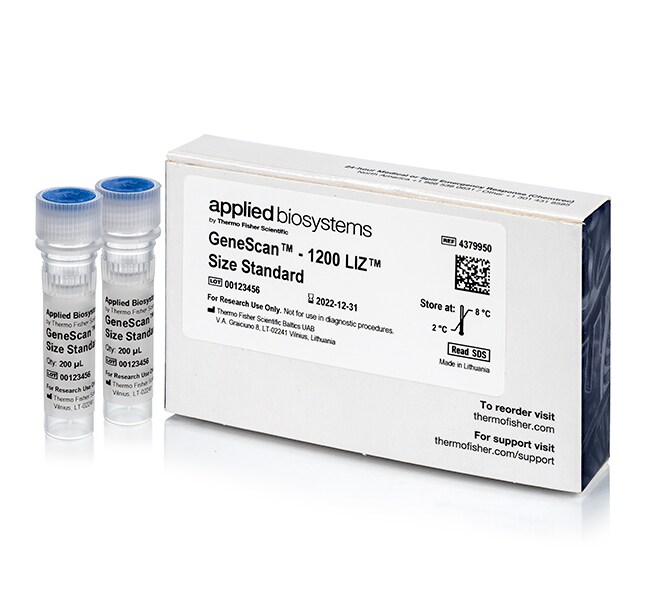
During fragment analysis, the larger peaks of my size standard are missing. Why?
If the larger peaks in the size standard are missing, it can also cause the sizing analysis to fail. This could be sample-related, where smaller ions and PCR products are preferentially injected into the capillaries and out-compete the injection of the larger products. To confirm, the size standard should be run without the sample.
If a size standard-only injection is performed, the larger size standard peaks may be missing due to slower migration of the sample. Slower migration can be due to some of the following:
-Degraded or expired polymer
- Old array or capillary
- Old or incorrect concentration of the buffer
- Old or expired HiDi Formamide
- Colder ambient temperature
- Oven temperature too low
If the issue persists, the instrument run time can be increased in order to allow for longer collection time of the largest size standard peaks. However, if the peak resolution is also broader than expected, this may suggest an instrument issue and a service call should be opened.
Find additional tips, troubleshooting help, and resources within our Capillary Electrophoresis Applications Support Center.
During fragment analysis, I am missing the smaller fragments of my size standard. What happened?
If a size standard-only run is performed and is missing the smaller fragments, degradation of the size standard may have occurred. Please check the expiration date either on the box or the Certificate of Analysis (COA). The size standard should be stored at 4-8 degrees C. Freezing of the size standard will cause loss of the smaller products and may also result in dye breakdown. The size standard should be replaced if expired or stored improperly. If the smaller peaks are missing, they may also be masked by the primer peak. The easiest fix is to go to the GeneMapper Manager, Size Standard tab, select the size standard definition you are working with and click the “Save As” button at the bottom. Rename the new standard and edit it by deleting any size smaller than 50 bp. Click OK, then Done and change the Size Standard in your project and re-analyze the data.
Find additional tips, troubleshooting help, and resources within our Capillary Electrophoresis Applications Support Center.
During fragment analysis, my sample peaks are really strong, but my size standard peaks are really low. Why is this?
If the sample has strong signal and the size standard is weak, the sample may be preferentially injecting into the capillaries. The sample may have a high salt concentration and/or robust amplification. To confirm, a size standard-only sample should be run to confirm the performance of the size standard alone. If the signal intensity improves, the sample may require desalting or less PCR product should be used. If the size standard-only sample still shows low signal, the issue may be with possible degradation of the size standard and it may need to be replaced.
Find additional tips, troubleshooting help, and resources within our Capillary Electrophoresis Applications Support Center.
I am observing "failed sizing" in GeneMapper Software. Why?
In GeneMapper Software, “failed sizing” is a result of the software being unable to identify the size standard peaks as defined by the selected size Standard. Please confirm that the size standard used in the sample matches the size standard selected in GeneMapper Software. The Size Match Editor function in GeneMapper Software allows you to view the size standard peaks sizing assignments. In the Size Match Editor window, the size standard peak heights can be reviewed, the user can determine if all the peaks in the size standard are present, or if there are any extraneous peaks in the same color as the size standard that are present. The Size Match Editor can be accessed by highlighting the failed samples in the Samples tab, and then going to the Analysis pull down menu > Size Match Editor.
-Within the GeneMapper Software's Analysis Method, the Peak Detector tab contains the minimum peak height setting for each color (blue, green, yellow, red, purple, and orange). If the size standard peaks are below the minimum peak height setting on the Y-axis, typically 50, the software will ignore these peaks (this threshold is different for fragment analysis that occurs in the 3500 Data Collection software). Although this setting may be altered, it may be necessary to troubleshoot further before doing so. If the sample has strong signal and the size standard is weak, the sample may be preferentially injecting into the capillaries. The sample may have a high salt concentration and/or robust amplification. To confirm, a size standard-only sample should be run to confirm the performance of the size standard alone. If the signal intensity of the size standard improves, the sample may require desalting or less PCR product should be used. If the size standard-only sample still shows low signal, the issue may be possible degradation of the size standard or the Hi-Di Formamide and they may need to be replaced. It may also be a sign that the capillary array is old or clogged.
-If there are any extraneous peaks, this can be due to pull-up peaks from overloaded samples. Extraneous peaks in the same color as the size standard dye label may interfere with the sizing algorithm in the analysis software. The sample can be reduced to prevent the pull-up peak from overloaded samples. If the sample is not overloaded, please confirm that the fluorescent dye in use is part of the dye set selected. The spectral calibration may also need to be re-run.
- If the larger peaks in the size standard are missing, it can also cause the sizing analysis to fail. This could be sample-related where smaller ions and PCR products are preferentially injected into the capillaries and out-compete the injection of the larger products. To confirm, the size standard should be run without the sample.
- If a size standard-only injection is performed, the larger size standard peaks may be missing due to slower migration of the sample. Slower migration can be due to some of the following:
1.Degraded or expired polymer
2.Old array or capillary
3.Old or incorrect concentration of the buffer
4.Old or expired HiDi Formamide
5.Colder ambient temperature
6.Oven temperature too low
If the issue persists, the instrument run time can be increased in order to allow for longer collection time of the largest size standard peaks. However, if the peak resolution is also broader than expected, this may suggest an instrument issue and a service call should be opened.
- If the smaller peaks in the size standard are missing, they may be masked by the primer peak. The easiest fix is to go to the GeneMapper Manager, Size Standard tab, select the size standard definition you are working with and click the “Save As” button at the bottom. Rename the new standard and edit it by deleting any size smaller than 50 bp. Click OK, then Done and change the size standard in your project and re-analyze the data.
The Size Match Editor will allow overriding of the sample quality but it is important to confirm the size standard peaks are correctly identified. Otherwise, the peak sizes of the PCR products may be shifted. To override the sizing quality in the Size Match Editor, click on the “Override SQ” button on the top, middle of the window.
Find additional tips, troubleshooting help, and resources within our Capillary Electrophoresis Applications Support Center.
I am following a fragment analysis protocol from a publication and my fragment sizes are different using the same control. Why?
- As the size of a fragment is calculated based on the size standard with which it co-migrates, dye-labeled DNA fragments can yield different sizes when run with a different instrument, polymer, capillary array length, or size standard.
- Check to see whether the polymer, buffer, or array has expired and/or is degraded. If so, they will need to be replaced.
- Check that the analysis parameters, analysis method, and size standard selected in the analysis software are the same.
- It is also possible to observe slight shifts in sizing if the lab temperatures differ. This will also impact the migration of the sample.
- If multiple injections of the control yield the same size, then it may be necessary to note the offset in sizes for a given fragment as this will confirm the instrument precision.
Find additional tips, troubleshooting help, and resources within our Capillary Electrophoresis Applications Support Center.