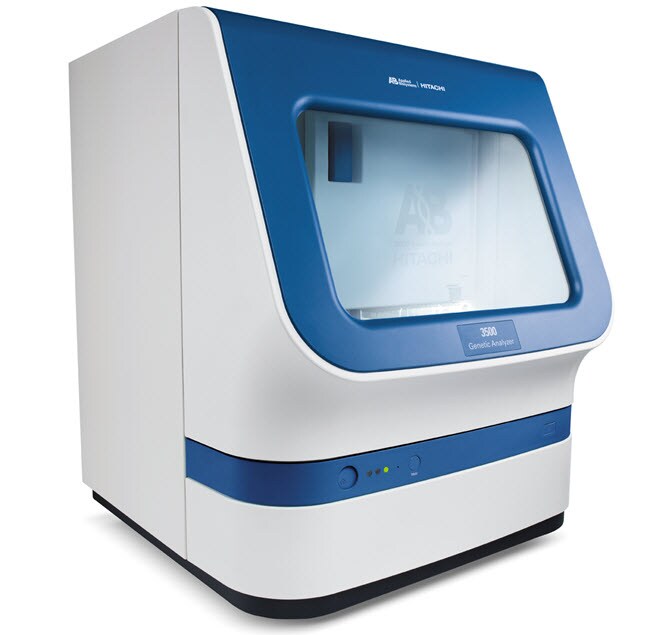
3500 基因分析仪
3500 基因分析仪
Applied Biosystems™

3500 基因分析仪

3500 基因分析仪是一款 8 道毛细管电泳仪,专为支持验证和工艺控制环境下的苛刻性能需求而设计,同时保留了生命科学研究人员期望的优秀的应用多功能性。此套件包括一个 8 道毛细管仪器、3500 系列数据采集软件、以及了解更多信息
Have Questions?
货号数量
44056731 个系统
货号 4405673
价格(CNY)
-
申请报价
数量:
1 个系统
3500 基因分析仪是一款 8 道毛细管电泳仪,专为支持验证和工艺控制环境下的苛刻性能需求而设计,同时保留了生命科学研究人员期望的优秀的应用多功能性。

此套件包括一个 8 道毛细管仪器、3500 系列数据采集软件、以及 Dell™ 工作站和显示器。3500 系列数据收集软件支持测序和片段分析,与多个下游软件包(未包括在内)无缝集成,可用于基因数据的二次分析。

3500 基因分析仪的特性包括:
•一款 8 道毛细管系统,在您需要时可轻松升级至 24 道毛细管系统
• 单线、505 nm、固态。长寿命激光器,使用标准电源,无需排热管道
• 功能强大的集成式数据采集和主要分析软件,可对数据质量进行实时分析
• 射频识别 (RFID) 技术跟踪关键耗材数据和记录管理信息
• 高级多通路能力,可用于 DNA 片段分析,具有多达 6 种独特染料
• 优秀的应用灵活性—一个阵列和一种聚合物可用于大多数应用
• 简单的设置、操作和维护

提供准确可靠的数据质量
3500 系列基因分析仪旨在显著提高仪器到仪器、运行到运行以及毛细管到毛细管的信号均一性。这些方法结合了智能硬件、强大的算法和试剂组合,可显著降低多个 3500 系列仪器获得的信号峰高度范围(参见图)。

提高尺寸精度
热分系统设计可在苛刻的片段应用中提供更高的性能,相对于前代毛细管电泳平台,可实现更好的尺寸精度。

带有 RFID 标签的即用型耗材
3500 系列提供即用型耗材,即采用预包装的聚合物袋、阴极和阳极缓冲液容器以及易于安装的毛细管阵列。所有这些耗材均带有RFID 标签,可对试剂和耗材等关键信息进行查看、追踪和报告,包括使用、批号、部件号、有效期、3500 系列数据采集软件中的仪器使用寿命。

即用型数据采集软件
3500 系列数据采集软件通过直观的仪表盘设计、高度可视的常用操作按钮、检测耗材状态的易于读取的图形显示以及便利的维护计划表功能实现用户友好的导航,具有突破性的成就。其功能包括简单的孔板设置和内置质控初级分析,因此您可以在仪器生成数据时判定数据质量,无需将输出文件传输到二级分析软件包。
仅供科研使用。不可用于诊断程序。
规格
安培数15 A
毛细管长度36 cm,50 cm
电气要求15 A
外部计算机硬盘驱动器:2x 500GB SATA 3.0 Gb/s 和 8 MB 数据突发高速缓存,存储器:16 GB (2x 8GB) 1600 MHz DDR3 非 ECC。第 4 代 Intel Core I7 处理器 - 3.1 GHz Turbo 处理器,操作系统:Windows 7 SP1
适用于(设备)3500 Genetic Analyzer
产品规格96 孔板、8 联排管
操作系统Win 7 (Service Pack 1)
聚合物POP-4™、POP-6™、POP-7™
数量1 个系统
运输条件室温
软件兼容性测序分析软件、Variant Reporter™ 软件、GeneMapper™ 软件
通量每天最多可运行 368 份样本(使用运行模块 ShortReadSeqPOP7)
质保期包含 1 年部件和人工、服务安装及应用培训有限质保期
重量82 kg(约)
软件类型数据采集软件
Unit SizeEach
内容与储存
该套件由 8 道毛细管仪器、3500/3500xL 数据采集软件以及 Dell 工作站和显示器组成。

常见问题解答 (FAQ)

How can I set up auto-analysis for data in GeneMapper with the 3500 Data Collection Software version 3.x?

Beginning with 3500 Data Collection Software version 3, the 3500 Data Collection Software does not support automatic secondary analysis. This is also indicated in the software release notes. To perform secondary data analysis, you will need to manually import the .fsa file into the GeneMapper software. For optimal performance, we recommend that you install the GeneMapper Software on a stand-alone computer that is not part of the 3500 Genetic Analyzer system.

Find additional tips, troubleshooting help, and resources within our Fragment Analysis Software Support Center.

Can I purchase a computer from you or someone else and install the Applied Biosystems 3500/3500xL Genetic Analyzer software myself?

You can purchase a computer for installation of the secondary analysis software packages (e.g., Sequencing Analysis, GeneMappersoftware) as long as the computer meets the software compute requirements (for processor speed, the minimum speed of the processor should be at least 3 GHz) and you can install the software yourself.

For the instrument computer, the computer system has a much more stringent requirement and undergoes thorough testing to make sure it can handle the flow of data from the instrument to the computer. The images for the computer system are streamlined to make sure they have the proper drivers for the computer components, and the Operating System is optimized to make sure there is nothing running in the background that might slow the computer down, take up memory, or conflict with our software. Purchasing a computer commercially can introduce too many variables in terms of hardware and software that can negatively affect the data collection process so we cannot support connecting it to the instrument.

Find additional tips, troubleshooting help, and resources within our Capillary Electrophoresis Instruments Support Center.

Can I re-install the Applied Biosystems 3500/3500xL Genetic Analyzer Data Collection Software myself?

Installation of the Data Collection Software for the Applied Biosystems 3500/3500xL Genetic Analyzer Data Collection Software is a complex process that requires a Field Service Engineer to install the software properly.

Find additional tips, troubleshooting help, and resources within our Capillary Electrophoresis Instruments Support Center.

What is the white residue around the Applied Biosystems 3500/3500xL Genetic Analyzer array knob?

When placing the array on the instrument, the last step in the process is to loosen the array knob and the instrument forces any air bubbles around the array tip through the threading and the middle of the array knob. Some polymer gets pushed through as well and when it dries up, it appears as a white, flaky residue. Use a damp, lint-free cloth to remove it.

Find additional tips, troubleshooting help, and resources within our Capillary Electrophoresis Instruments Support Center.

My array is stuck in the pump on my Applied Biosystems 3500/3500xL Genetic Analyzer, even after loosening the knob. What can I do?

If the array is stuck in the pump, even after loosening the knob, squirt around the edge of the array head with distilled water and try to remove it again. If the array will not move, a service call may be required. Do not use excessive force or tools to try and remove it.

Find additional tips, troubleshooting help, and resources within our Capillary Electrophoresis Instruments Support Center.