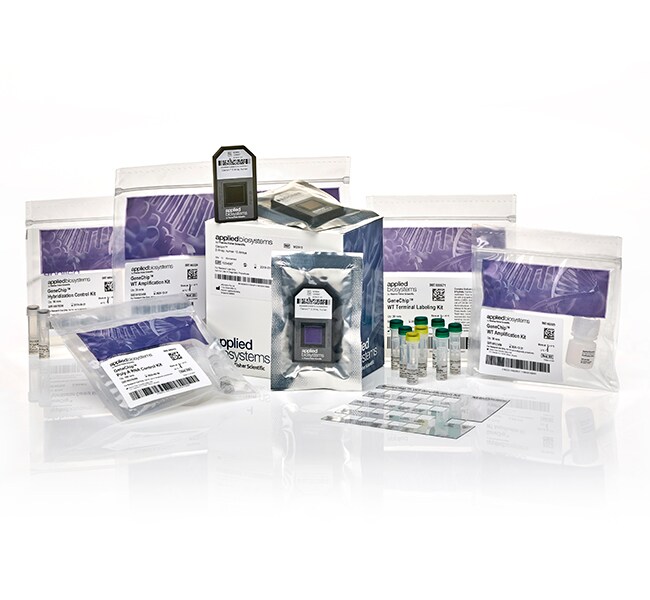
Clariom™ D Pico Assay,人类
Actual product may vary
Applied Biosystems™

Clariom™ D Pico Assay,人类

采用用于人类样品的 Clariom D Pico Assay(新一代的转录组水平表达谱分析工具),可以更快速地从转录组深处发现生物标记物。Clariom D Pico了解更多信息
Have Questions?
更改视图buttonViewtableView
货号阵列数量
90292530 阵列
90292412 阵列
货号 902925
价格(CNY)
-
阵列数量:
30 阵列
采用用于人类样品的 Clariom D Pico Assay(新一代的转录组水平表达谱分析工具),可以更快速地从转录组深处发现生物标记物。Clariom D Pico Assay 可详细显示转录组细节视图,采用更快的路径获取研究所需结果。Clariom D Pico Assay 可让转录研究科学家快速简单地得到高保真度的生物标记物特征。新型 Clariom D Pico Assay 设计基于行业前列的微阵列技术,提供了较为复杂的全转录组范围基因水平和外显子水平的表达谱,包括在为期三天的单一实验中,检测编码和长链非编码 (lnc)RNA 的选择性剪接事件的能力。

拓展发现新型、信息丰富生物标记物的潜力
近年来快速扩展的已知转录基因数量,为可操作性的生物标记物(例如转录变异和 lncRNA)提供了更多的来源,这可用于临床应用和促进对疾病机制的理解。这类生物标记物可能会被冗长、复杂且昂贵的测序和靶向表达方法所遗漏,从而导致特征难以重现,浪费时间和金钱。

Clariom D Pico 测定试剂盒可全面覆盖转录基因组(包括所有已知编码和未编码的剪接变体),与临床样品类型兼容并提供灵活的数据分析软件,因此它是转译研究人员执行复杂表达生物标记物发现研究并希望以极快速度获得可靠、临床相关且可行结果的首选工具。

获取所有所需数据
• 在从样品量庞大的公共数据库中获得的 >540,000 个转录本中快速鉴别复杂的疾病特征,该数据库较全面地覆盖现有人转录组,从而确保不会遗漏生物标记物。
•可靠地检测产生编码 RNA 和 lncRNA 亚型的基因、外显子和其他选择性剪接事件。
•检测罕见的低表达转录本,而一般的测序方法检测不到这类转录本。
•借助直观、高度可视的免费分析软件,在几分钟之内即可从数据获得洞察力。

对于贵重样品,可一举成功。
• 可从总 RNA 量低至 100 pg 的样品中—以及低至 10 个细胞样品中,生成具有可靠性的表达谱。
• 使用来自不同样品类型的 RNA,包括血液、细胞、新鲜/新鲜冷冻或 FFPE 组织。
• 该检测可保持样品完整性并降低数据变异性,且无需球蛋白或 rRNA 去除步骤。

Clariom D 解决方案以单一样品(检测盒阵列)格式提供,可在 GeneChip ™ 3000 仪器系统上使用,包括试剂和快速简单的转录组分析控制台 (TAC) 软件,该软件可分析和显示基因、外显子、通路和选择性剪接事件。

获得所需要的覆盖范围、所需的可重现性以及有意在发现中发挥作用的结果。
仅供科研使用。不可用于诊断程序。
规格
产品线Applied Biosystems™
数量30 次反应
运输条件经批准可在室温下或者湿冰或干冰上运输
类型D Pico Assay
数组转录组谱分析
产品规格阵列检测盒
阵列数量30 阵列
种属
Unit SizeEach

常见问题解答 (FAQ)

What reagent kit should I use with my array?

Please refer to the Microarray Reagent Guide for Arrays and Expression Kits to match the correct reagents your array.

Find additional tips, troubleshooting help, and resources within our Microarray Analysis Support Center.

What is an Event Score in TAC 4.0 Software?

TAC 4.0 includes two algorithms for identifying alternative splicing events: the TAC 2.0 algorithm and the new EventPointer. Algorithmic determination of alternate splicing remains a challenging problem. TAC 4.0 supports two different approaches that have different sets of strengths and weaknesses. After considerable testing, the new TAC 4.0 “'Event Score” leverages both previous TAC 2.0 event estimation score and Event Pointer p-value and sorts the most likely alternative splicing events to the top. Of course, the TAC 2.0 event score and EventPointer p-values remain individually available.

Find additional tips, troubleshooting help, and resources within our Microarray Analysis Support Center.

What are the new software components of TAC 4.0?

LIMMA: LIMMA stands for Linear Models for MicroArray data. It is an R/Bioconductor software package that provides an integrated solution for analyzing data from gene expression experiments. It contains rich features for handling complex experimental designs and for information borrowing to overcome the problem of small sample sizes. Over the past decade, LIMMA has been a popular choice for gene discovery through differential expression analyses of microarray data. There are ˜8000 citations using LIMMA and Affymetrix arrays. The TAC 4.0 interface exposes the core differential expression analysis functionality including real covariates and random factors. In addition, the interface simplifies the creation of the design and contrast matrices that specify the experimental design and comparisons for the analysis.

Batch Effect Adjustment: Batch effects are systematic changes in microarray sample intensities that reflect changes in the assay sometimes found in different batches. These effects occur more commonly in larger studies in which all of the samples cannot be processed at the same time. TAC 4.0 enables the interface to the ComBat batch adjustment algorithm, which can remove the batch effects from the signals.

EventPointer: EventPointer is a Bioconductor package that identifies alternative splicing events in microarray data. TAC 4.0 incorporates an interface to this package.

Exploratory Grouping Analysis: Exploratory Grouping Analysis (EGA) is an interface to a set of R packages that offer the ability to examine the relationships between multiple microarray samples. While the scientist typically has a preconceived idea regarding the classification of the samples in an experiment, the resulting data often show additional substructure due to unexpected biological differences or batch effects. The EGA interface enables the identification of this substructure. Biological differences can be further explored using LIMMA differential expression analysis. Batch effects can be removed using ComBat to prevent them from obscuring the biology of interest.

Find additional tips, troubleshooting help, and resources within our Microarray Analysis Support Center.

If I have TAC 3.1 .TAC files (TAC analysis files), can I load these into TAC 4.0 Software or will I need to reanalyze?

TAC 3.1 .TAC files cannot be opened in TAC 4.0 Software. Studies will need to be reprocessed in TAC 4.0. The new analysis can be run from .CEL files or .CHP files.

Find additional tips, troubleshooting help, and resources within our Microarray Analysis Support Center.

In TAC 4.0 Software, can I measure the quality of a single hybridization without the rest of the experiment?

We do not recommend this. In large-scale expression experiments using similar sample types, researchers are likely to develop their own single-array guidelines on what metric values are predictive of high- or poor-quality samples. However, these guidelines are likely to be dependent on sample type and we are unable to recommend such guidelines for all possible situations. Note that the trend toward favoring model-based signal estimation algorithms (for all microarray experiments even beyond the Thermo Fisher platform) makes single-array quality determination very difficult due to the necessity of simultaneously analyzing multiple arrays to calculate signal estimates.

Find additional tips, troubleshooting help, and resources within our Microarray Analysis Support Center.