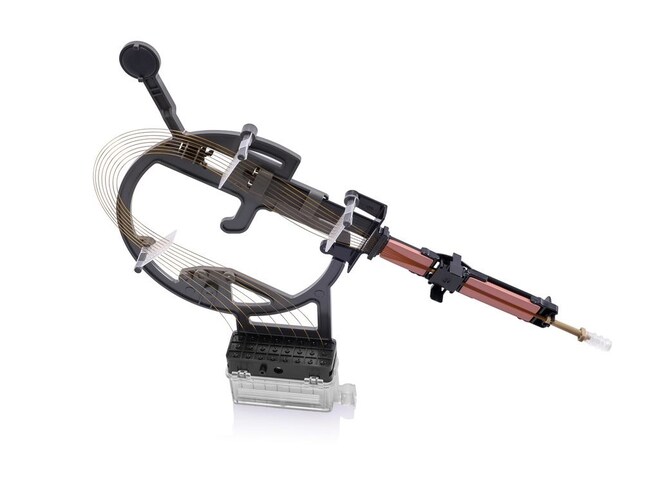
What are the unique features of the SeqStudio Flex Series Genetic Analyzer capillary arrays?
The SeqStudio Flex Series Genetic Analyzer capillary arrays have a new array frame which provides better support for the capillaries and a tab near the array tip which makes it easier to insert into the array knob.
Find additional tips, troubleshooting help, and resources within our Capillary Electrophoresis Instruments Support Center.
How often should I change the capillary array on my SeqStudio Flex Series Genetic Analyzer?
The SeqStudio Flex Series Genetic Analyzer capillary arrays are warrantied for a specific number of runs or until the expiration date printed on the array package, whichever comes first. If you notice that you are starting to get reduced data quality (e.g., shorter reads, trailing peaks in all 4 colors) even with the Sequencing Standard, these may be signs that the capillary array requires changing.
Find additional tips, troubleshooting help, and resources within our Capillary Electrophoresis Instruments Support Center.
Can the capillary arrays for the SeqStudio Flex Series Genetic Analyzers be used on the 3500/3500xL Genetic Analyzer and vice versa?
No, the capillary arrays for the 3500/3500xL Genetic Analyzers and the arrays for the SeqStudio Flex Series Genetic Analyzers are not interchangeable.
Find additional tips, troubleshooting help, and resources within our Capillary Electrophoresis Instruments Support Center.
How can I request assistance from Technical Support or Instrument Service for SeqStudio Flex Series Genetic Analyzers?
You can request assistance from Technical Support or Instrument Service on the SeqStudio Flex Series Genetic Analyzers via the Smart Help function. In order to use this function, access to Thermo Fisher Connect must be enabled. You can also contact Technical Support at techsupport@thermofisher.com or Service Support at instrumentsupport@thermofisher.com.
Find additional tips, troubleshooting help, and resources within our SeqStudio Flex Series Genetic Analyzers Support Center.
Find additional tips, troubleshooting help, and resources within our Capillary Electrophoresis Instruments Support Center.
With the SeqStudio Flex Genetic Analyzer, I tried to start a run, but the instrument displays a notification that there is not enough storage space. What should I do?
The SeqStudio Flex Genetic Analyzer instrument will not run unless the required amount of space is available to save the results on the instrument. To free up space on the hard drive, you will need to delete the run histories. We recommend that you first export the results before deleting them as the process is irreversible. At the home screen, tap Actions > Run history. Select the plates that you want to delete. Tap Delete > OK to confirm.
Find additional tips, troubleshooting help, and resources within our SeqStudio Flex Series Genetic Analyzers Support Center.
Find additional tips, troubleshooting help, and resources within our Capillary Electrophoresis Instruments Support Center.