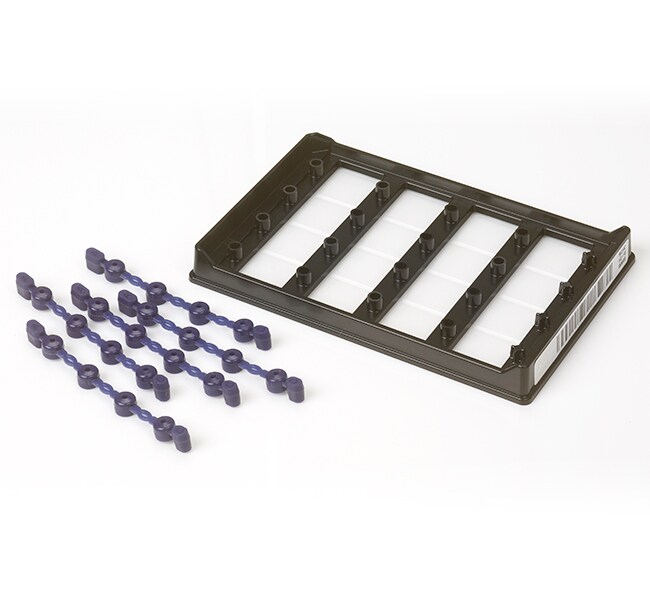
QuantStudio™ Absolute Q™ MAP16 板套件
Applied Biosystems™

QuantStudio™ Absolute Q™ MAP16 板套件

Applied Biosystems QuantStudio Absolute Q MAP16 板套件是 QuantStudio Absolute Q了解更多信息
Have Questions?
货号数量
A5286512 块板
货号 A52865
价格(CNY)
-
数量:
12 块板
Applied Biosystems QuantStudio Absolute Q MAP16 板套件是 QuantStudio Absolute Q 数字 PCR 系统的重要组成部分。该系统由专有微流体阵列式芯片板 (MAP) 技术支持,能够将样品一致地自动分为 20,000 个微反应室,并可提供业界卓越的 <1% 变异系数 (CV)。QuantStudio Absolute Q MAP16 耗材利用显微注射成型技术板克服了不一致性和高死体积的常见挑战。这种新方法带来了许多优势,包括:精确的微反应室体积、一致的样品分布以及分析超过 98% 的加载体积。

Absolute Q 系统具有卓越的精确度和准确度,为复制和实验测量提供了可靠的结果。与 QuantStudio Absolute Q DNA 数字 PCR 预混液搭配使用。
仅供科研使用。不可用于诊断性程序
规格
适用于(应用)数字PCR
适用于(设备)QuantStudioTM Absolute QTM 数字 PCR 系统
每箱数量12 plates
每架数量12 plates
数量12 块板
运输条件室温
条形码包括条形码
孔数量16
Unit SizeEach
内容与储存
 包括 MAP16 板、垫圈和 Absolute Q 分离缓冲液(货号 A52730)

常见问题解答 (FAQ)

I finished running my experiment on the QuantStudio Absolute Q Digital PCR instrument but just realized that I had selected the wrong dyes during setup. Can I change the dyes that were used after the run?

If dye channels are turned off before the run, then data will not be collected for them as the run progresses. This means that changing the dyes after the run will not be possible.

Find additional tips, troubleshooting help, and resources within our Real-Time PCR and Digital PCR Instruments Support Center.

I ran my experiment using the QuantStudio Absolute Q Digital PCR System but did not actually use dyes in all the channels. Is there a way to only see those dye channels that were used?

Unused dye channels can be turned off after the run by going to the SETUP tab and clicking EDIT SETUP and then EDIT GROUPS. Here, the Analysis can be changed to “Not Used.” After clicking SAVE twice, the data will be reanalyzed and the unused dye channels will not be present in the analysis.

Find additional tips, troubleshooting help, and resources within our Real-Time PCR and Digital PCR Instruments Support Center.

I'm using the QuantStudio Absolute Q Digital PCR System and the software is saying that the concentration is NaN. What does that mean?

NaN stands for “not a number”. The software will display NaN instead of an actual number when it has detected some issue during the analysis of the array images.

Find additional tips, troubleshooting help, and resources within our Real-Time PCR and Digital PCR Instruments Support Center.

With the QuantStudio Absolute Q Digital PCR instrument, the run data didn't automatically transfer after the run completed. How can I get the data?

We would recommend restarting the software. If the run still doesn't transfer, we would recommend closing the software, rebooting the instrument, and then starting the software. If further assistance is needed, please contact Technical Support at techsupport@thermofisher.com.

Find additional tips, troubleshooting help, and resources within our Real-Time PCR and Digital PCR Instruments Support Center.

With the QuantStudio Absolute Q Digital PCR System, how much sample can be loaded into each well?

9 µL of sample is loaded into each well along with 15 µL of isolation buffer. Loading more or less of either the sample or isolation buffer will affect filling of the microchambers and the run results.

Find additional tips, troubleshooting help, and resources within our Real-Time PCR and Digital PCR Instruments Support Center.