Search

Thermo Scientific™
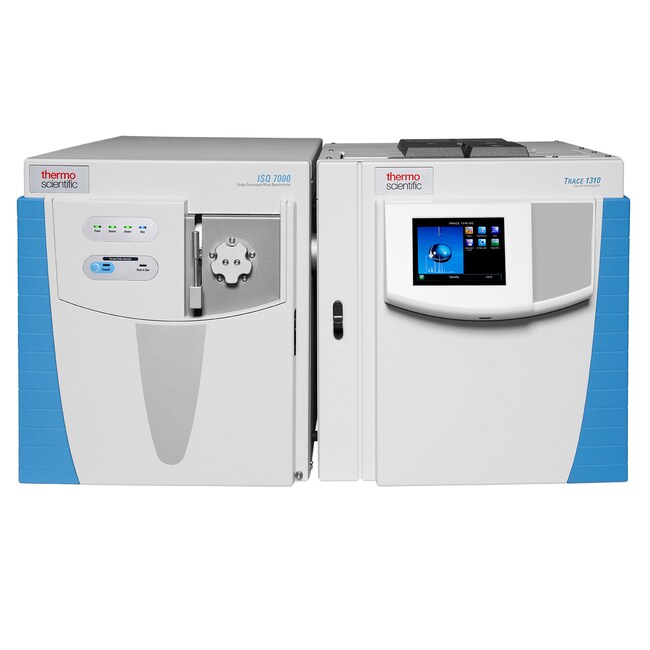
ISQ™ 7000 Single Quadrupole GC-MS eLearning courses
ISQ™ 7000 Single Quadrupole GC-MS eLearning courses provide you with foundational knowledge and basic skills that you need to use and benefit from your instrument.
| 货号 | 课程主题 |
|---|---|
| TISG70MTS | User Maintenance and Troubleshooting |
货号 TISG70MTS
价格(CNY)
-
课程主题:
User Maintenance and Troubleshooting
ISQ™ 7000 Single Quadrupole GC-MS eLearning courses provide you with foundational knowledge and basic skills that you need to use and benefit from your instrument. You will find a series of eLearning courses which can cover different topics such as foundational theory and/or basic operations principle and/or user maintenance and troubleshooting.
The ISQ™ 7000 Single Quadrupole GC-MS foundational theory eLearning course provides a complete understanding of the principles, components, and operation of the single quadrupole GC-MS instruments. This course explores the theoretical foundations underlying GC-MS, covering topics such as ionization techniques, mass analyzers, and data interpretation. Here is a breakdown of the course outline:
- Introduction to a single quadrupole GC-MS platform, and the different components involved.
- Fundamentals of Gas Chromatography, including principles of sample introduction and the separation process
- Ionization techniques for the single quadrupole GC-MS:
- Electron Ionization
- Chemical Ionization
- Mass analysis:
- Quadrupole
- Detection process
- Scan types involved in single quadrupole: Full scan and SIM
- Data interpretation using instrument software Chromeleon™
This Foundational Theory eLearning course is similar and applicable to all single quadrupole Single Quadrupole GC-MS, including the ISQ™ 7610 Single Quadrupole GC-MS.
The ISQ™ 7000 Single Quadrupole GC-MS basic operations with Chromeleon™ eLearning course introduces the basics of operation of the GC TRACE™ 1300/1310 instrument . This course also provides basic guidelines for operation of the Single Quadrupole Single Quadrupole GC-MS coupled with an AI/AS 1610 autosampler. It also includes how to analyze your data in Chromeleon™ and the proper procedure for powering up and shutting down the instrument. Some of the modules included in this course include:
- Introducing the gas chromatograph and explanations of the layout of component parts, gas and electrical connections, and interaction with the user interfaces.
- Demonstrations on how to perform the following data processing tasks: Review of MS data in the Chromatography Studio; Detection, integration, and adding compounds to the MS Component table; Calibration and quantitation; Reporting & printing results.
- Shutting down your GC-MS: Using the data system or mass spec dashboard to cool down hot zones; Cooling down the GC hot zones (inlets and oven); Shutting down your GC-MS; Powering up your GC-MS: Checklist of items before powering up; Turning the system on; What to look for in the data system once power is restored.
- Connecting the column to the mass spectrometer, Powering on, Leak checking and Tuning
- Chromeleon™: How to start a run in Chromeleon™.
The topics covered in this course are similar to the ones covered in the ISQ™ 7610 Single Quadrupole GC-MS Basic Operations Chromeleon™ Software Course.
The ISQ™ 7000 Single Quadrupole GC-MS user maintenance and troubleshooting eLearning course provides basic maintenance and troubleshooting guidelines for Thermo Scientific™ ISQ™ 7000 Single Quadrupole Single Quadrupole GC-MS. Topics covered in this course include:
- Overview of the maintenance consumables for the GC, sampler, and mass spectrometer
- Recommended maintenance schedules for the autosampler, Trace GC, and ISQ™ 7000 mass spectrometer
- Instructions on basic maintenance tasks and troubleshooting guidelines.
The topics covered in this course are similar to the ones covered in the ISQ™ 7610 Basic Maintenance and Troubleshooting Course.
规格
访问可用性30 days upon end-user first access to the course
课程主题User Maintenance and Troubleshooting
描述ISQ 7000 Single Quadrupole GC-MS user maintenance and troubleshooting
产品规格Online Self-paced eLearning
语言English
技术Gas Chromatography Mass Spectrometry
时间和日期On-demand upon course end-user registration confirmation
持续时间30 to 60 min.
适用于(设备)ISQ 7000 Single Quadrupole GC-MS
产品线Thermo Scientific
产品类型Mass Spectrometry
培训地点Digital access through Online Learning Management System
Unit SizeEach