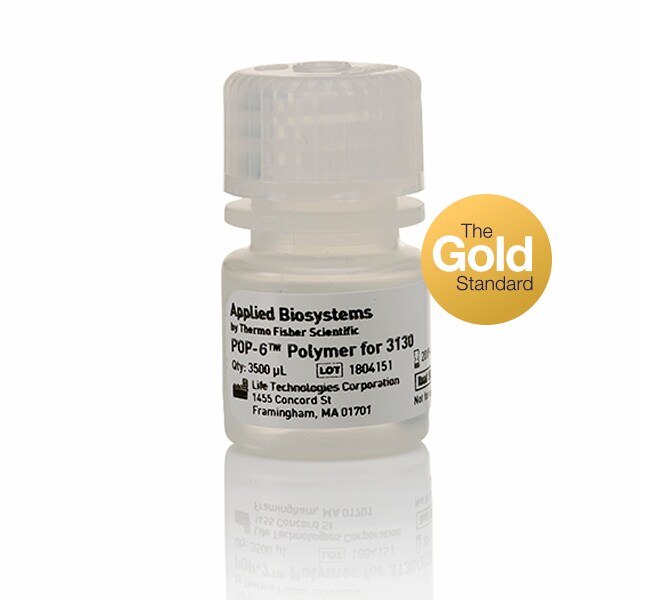
What information should I include when submitting sequencing data to Genetic Analysis Technical Support?
When contacting Genetic Analysis Support (FAS, FSE, Technical Support), we can address your inquiry most efficiently if you have the following information:
- Instrument Model and Serial Number
- Version of the software you are using
- Application and/or Kit Information
- Kit Lot Number
- Number of runs on the Capillary or Array
- Polymer Type and Lot Number
- Buffer Lot Number
- Hi-Di Formamide Lot Number or Loading Solution Information
- Sample data that can be sent to the Support Person
Please also provide details on:
- Reaction set up (i.e. how much DNA was used, Primer, etc.)
- How the reactions were cleaned up (Alcohol precipitation, columns, etc)
- What template DNA was used (i.e. Plasmid, PCR product)
- How was the Template DNA prepared?
All of this information will help the Support representative quickly and accurately assess the problem and provide you with recommendations for resolution.
Find additional tips, troubleshooting help, and resources within our Capillary Electrophoresis Instruments Support Center.
How long can POP-7 polymer stay on the Applied Biosystems 3730 Series DNA Analyzer?
POP-7 polymer can maintain its performance for seven days on the Applied Biosystems 3730 Series DNA Analyzer at standard lab conditions. After seven days, perform all required maintenance (including the Water Wash Wizard) and replace with fresh polymer. Do not "top off" the polymer bottle (add fresh polymer to old polymer), which can adversely affect data quality and consumable lifespan.
Find additional tips, troubleshooting help, and resources within our Capillary Electrophoresis Instruments Support Center.
What polymer is supported on the Applied Biosystems 3730 Series DNA Analyzer?
Applied Biosystems supports the use of POP-7 polymer on the Applied Biosystems 3730 Series DNA Analyzer. If the instrument is running Applied Biosystems 3730 Data Collection Software v.3.1 or later, then you can also use POP-6 polymer. We do not recommend mixing and matching of various instrument polymers as each is manufactured in different processes, tested as an entire system, and guaranteed to perform to a minimum specification. Substitution of reagents may compromise the integrity of the system and cannot be supported by AB service or applications support specialists. Using unsupported polymers may adversely affect data quality, consumable lifespan, and may void existing warranties.
Find additional tips, troubleshooting help, and resources within our Capillary Electrophoresis Applications Support Center.
What are the sequencing performance specifications for the different array lengths and polymer types for the Applied Biosystems 3130 Series Systems?
On the 36 cm array:
- The UltraSeq36_POP7 run module has a run time of 35 minutes and an average read of 500 bases with a QV >20.
- The RapidSeq 36_POP7 run module has a run time of 60 minutes and an average read length of 600 bases with a QV >20.
- The UltraSeq36_POP4 run module has a run time of 40 minutes and an average read length of 400 bases with a QV >20.
- The RapidSeq36_POP6 run module has a run time of 60 minutes and an average read length of 500 bases with a QV >20.
On the 50 cm array:
- The FastSeq50 _POP7 run module has a run time of 60 minutes and an average read length of 700 bases with a QV >20.
- The StdSeq50 _POP7 run module has a run time of 120 minutes and an average read length of 850 bases with a QV >20.
- The StdSeq50 _POP4 run module has a run time of 100 minutes and an average read length of 600 bases with a QV >20.
- The StdSeq50 _POP6 run module has a run time of 150 minutes and an average read length of 600 bases with a QV >20.
On the 80 cm array:
- The LongSeq80 _POP7 run module has a run time of 170 minutes and an average read length of 950 bases with a QV >20.
- The LongSeq80 _POP4 run module has a run time of 210 minutes and an average read length of 700 bases with a QV >20.
Find additional tips, troubleshooting help, and resources within our Capillary Electrophoresis Applications Support Center.
Can we turn off the detection cell heater?
The detection cell heater automatically turns ON at 50°C for all POP-7 default and user created run modules. It is automatically OFF for all POP-4 and POP-6 default and user created run modules. These settings cannot be altered. The mobility files of the various Applied Biosystems analysis applications have been optimized, among other things, based on polymer type and temperature conditions.
Find additional tips, troubleshooting help, and resources within our Capillary Electrophoresis Applications Support Center.