Search

Applied Biosystems™
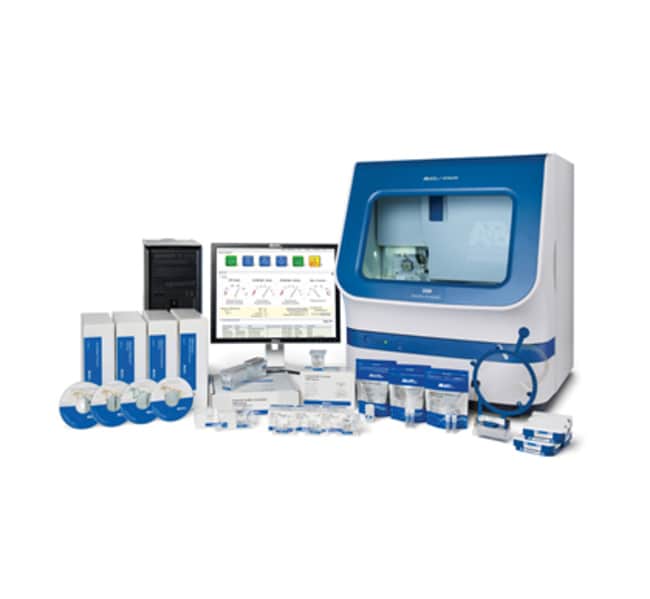
基因分析仪升级套件(3500 升级至 3500xL)
| 货号 | 数量 |
|---|---|
| 4426479 | 1 个试剂盒 |
货号 4426479
价格(CNY)
-
数量:
1 个试剂盒
This kit allows you to upgrade your 8 capillary 3500 Genetic Analyzer to a 24 capillary 3500xL expanding the capabilities of your instrument. You’ll be able to take advantage of a dramatic increase in throughput and in overall laboratory productivity. The upgrade is simple and completed within a day. It does not involve any changes to the computer or software so you will not need to re-verify these components of your system.
• 8 capillary system can easily be upgraded to a 24-capillary system
• New single-line 505 nm, solid-state long-life laser—utilizes a standard power supply; requires no heat-removal ducting
• Powerful, integrated data collection and primary analysis software provides real-time assessment of data quality
• Radio Frequency Identification (RFID) technology tracks key consumables data and records administrative information
• Advanced multiplexing capabilities for DNA fragment analysis with up to six unique dyes
• Unrivaled application flexibility—one array and one polymer are used for most applications
• Simple setup, operation and maintenance—the easiest-to-run, easiest-to-own DNA sequencer to date
For Research Use Only. Not for use in diagnostics procedures.
• 8 capillary system can easily be upgraded to a 24-capillary system
• New single-line 505 nm, solid-state long-life laser—utilizes a standard power supply; requires no heat-removal ducting
• Powerful, integrated data collection and primary analysis software provides real-time assessment of data quality
• Radio Frequency Identification (RFID) technology tracks key consumables data and records administrative information
• Advanced multiplexing capabilities for DNA fragment analysis with up to six unique dyes
• Unrivaled application flexibility—one array and one polymer are used for most applications
• Simple setup, operation and maintenance—the easiest-to-run, easiest-to-own DNA sequencer to date
For Research Use Only. Not for use in diagnostics procedures.
仅供科研使用。不可用于诊断程序。
规格
适用于(应用)测序
适用于(设备)3500 Genetic Analyzer
产品类型基因分析仪升级套件
数量1 个试剂盒
系统升级3500 至 3500XL
产品规格试剂盒
Unit Size1 Kit
内容与储存
此升级套件随附一个入门套件。