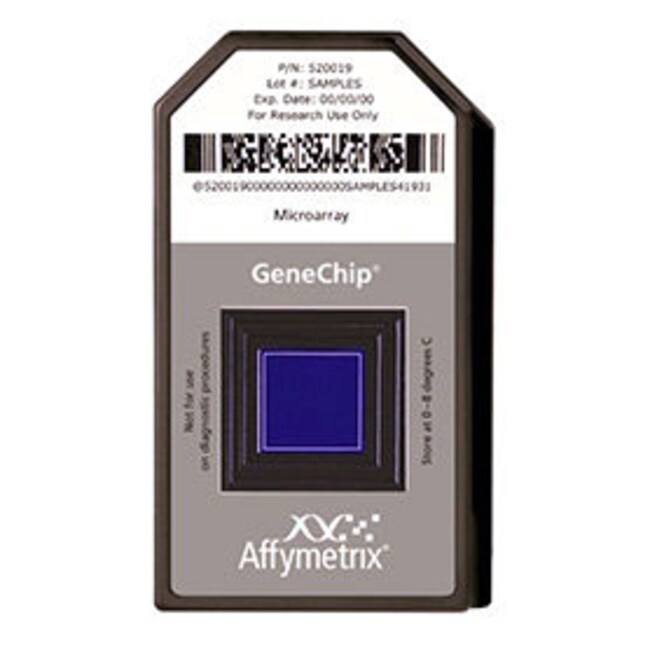
GeneChip™ Human Genome U133A 2.0 Array
Applied Biosystems™

GeneChip™ Human Genome U133A 2.0 Array

GeneChip™ 人类基因组 U133A 2.0 阵列是一种单阵列,代表 14,500 种充分表征的人类基因,可用于探索人类生物学和疾病过程。GeneChip™ 人类基因组 U133A了解更多信息
Have Questions?
更改视图buttonViewtableView
货号阵列数量
9004686 阵列
9004712 阵列
90046930 阵列
货号 900468
价格(CNY)
-
阵列数量:
6 阵列
GeneChip™ 人类基因组 U133A 2.0 阵列是一种单阵列,代表 14,500 种充分表征的人类基因,可用于探索人类生物学和疾病过程。

GeneChip™ 人类基因组 U133A 2.0 阵列是一种单阵列,代表 14,500 种充分表征的人类基因,可用于探索人类生物学和疾病过程。新式设计和更小巧的功能尺寸意味着您可以使用比以前 HG™U133A 阵列更小的样品量,而不会影响性能。

•单个阵列覆盖转录人类基因组中确证的基因
•对 18,400 个转录本和变异体的表达水平进行分析,包括 14,500 个充分表征的人类基因
•由 22,000 多个探针集和 500,000 个不同的寡核苷酸特征点组成
•利用探针集的功能,为每个转录本进行多个独立检测,可提供任何微阵列平台较高的准确性和重复性
•GeneChip™ 人类基因组 U133A 阵列代表的所有探针集均在 GeneChip 人类基因组 U133A 2.0 阵列上相同地复制

阵列概况
阵列设计中使用的序列选自 GenBank™、dbEST 和 RefSeq。序列簇创建自 UniGene 数据库(2001 年 4 月 20 日,Build 133),然后通过分析和与其它一些公开可用的数据库(包括华盛顿大学 EST 追踪存储库和加州大学 Santa Cruz Golden-Path 人类基因组数据库(2001 年 4 月发布))进行比较来改进。

仪器和软件要求
•GeneChip™GeneChip 扫描仪 3000 支持高分辨率扫描 *
•GeneChip™ Command Console™ 软件 (AGCC) 包含 GeneChip™ 扫描仪 3000 分辨率扫描补丁

*GeneChip 扫描仪 3000 分辨率更新是从 2003 年 9 月开始发货的所有仪器(系列序列号 502)的标准配置。之前的版本(系列序列号 501)需要安装 00-0110 GeneChip 扫描仪 3000 高分辨率更新。

仅供科研使用。不可用于诊断程序。
规格
产品线GeneChip
数量6 arrays
类型人类基因组 U133A 2.0 阵列
数组转录组谱分析
产品规格阵列检测盒
阵列数量6 阵列
种属
Unit Size6 arrays

常见问题解答 (FAQ)

Why is a set of 100 probes duplicated on the GeneChip Human Genome U133A 2.0 Array?

The intended use of the 100 probe sets is to allow users to normalize data across the chip. These 100 probe sets are considered normalization controls. They were found to have consistent levels of expression across multiple tissue types and treatments.

Find additional tips, troubleshooting help, and resources within our Microarray Analysis Support Center.

What does the "_x_at" extension represent in the HG-U133 probe set name?

Occasionally, it is not possible to select either a unique probe set or a probe set with all probes common among multiple transcripts ("_s_at" ). In such cases, similarity criteria are suspended, and the resulting probe set name is appended with the "_x_at" extension. These probe sets contain some probes that are identical, or highly similar, to unrelated sequences. These probes may cross-hybridize in an unpredictable manner with sequences other than the main target. Data generated from these probe sets should be interpreted with caution, due to the likelihood that some of the signal is from transcripts other than the one being intentionally measured.

Find additional tips, troubleshooting help, and resources within our Microarray Analysis Support Center.

What does the "_s_at" extension represent in the HG-U133 probe set name?

The primary goal in probe set selection is to select a probe set unique to a single transcript or common among a small set of similar transcript variants. A probe set name is appended with the "_s_at" extension when all the probes exactly match multiple transcripts. The probe set selection process generally favors probe sets measuring fewer transcripts. Probe sets with common probes among multiple transcripts (the "_s_at" probe sets), are frequent and are to be expected, due to alternative polyadenylation and alternative splicing. In most cases, "_s_at" probe sets represent transcripts from the same gene, but the same probe set can sometimes also represent transcripts from homologous genes. One transcript may be represented by both a unique and an "_s_at" probe set when the transcript variation is sufficient.

Find additional tips, troubleshooting help, and resources within our Microarray Analysis Support Center.

How do I export a CEL file from GCOS as a text file?

There are two ways to export the CEL file from GCOS v1.4 as a text file.

1. In GCOS 1.4 use GCOS Manager to navigate to the CEL file in the process database. Highlight the CEL file and right click to export the data from the process tab. You may want to change the data location where the export will be stored before you start.
2. In GCOS 1.4 use the find feature in GCOS Manager to find the CEL files and export those selected as a text file. This approach allows export of more than one experiment at a time.

Find additional tips, troubleshooting help, and resources within our Microarray Analysis Support Center.

Is it possible to compare different array types (e.g., HG-U133A and HG-U133A 2.0) in GeneChip Command Console (GCC)?

Command Console cannot generate a comparison analysis between different array types.

Find additional tips, troubleshooting help, and resources within our Microarray Analysis Support Center.