Search

Applied Biosystems™
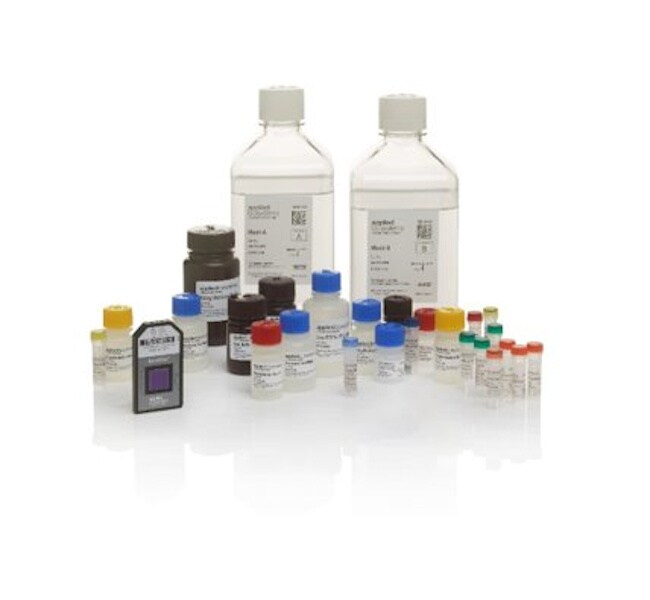
OncoScan™ CNV Plus 检测试剂盒
OncoScan CNV Plus 检测试剂盒是一种基于全基因组拷贝数微阵列芯片的检测方法,能够检测相关拷贝数变异 (CNV),如拷贝数增加和减少、杂合性缺失 (LOH)、拷贝数平衡的杂合性缺失 (cnLOH)、染色体倍性了解更多信息
| 货号 | 数量 |
|---|---|
| 902293 | 24 samples |
货号 902293
价格(CNY)
-
数量:
24 samples
OncoScan CNV Plus 检测试剂盒是一种基于全基因组拷贝数微阵列芯片的检测方法,能够检测相关拷贝数变异 (CNV),如拷贝数增加和减少、杂合性缺失 (LOH)、拷贝数平衡的杂合性缺失 (cnLOH)、染色体倍性、等位基因特定变化、断裂点测定、嵌合、克隆异质性和染色体碎裂,以及体细胞驱动突变组合。该试剂盒提供了福尔马林固定石蜡包埋 (FFPE) 肿瘤样品、微阵列芯片杂交及染色等样品制备步骤所需的试剂。该检测试剂盒可覆盖整个基因组以及已知的癌症驱动基因,作为全面检测流程的一部分,它可以从低至 80 ng 的 DNA 样品(每个样品)中生成深度拷贝数数据和体细胞突变数据。
OncoScan CNV 检测的主要特点包括:
•全基因组拷贝数分析—可检测通过短读测序或靶向测序无法进行良好表征的基因结构变异,例如缺失、重复、LOH、cnLOH、断裂点测定、倍性、嵌合和不平衡易位等
• 体细胞突变组合—涵盖 9 个基因中的 64 个突变(BRAF、EGFR、IDH1 和 2、KRAS、NRAS、PIK3CA、PTEN 和 TP53)
• 全面覆盖—对癌症和肿瘤进展中具有确定意义和重要性的基因以及有新证据的基因进行全基因组分析,有助于前瞻性的技术投入并较大限度地减少再验证负担
• 灵活性高—仅需一次检测就可确定染色体臂畸变、局部突变、LOH 和 cnLOH,有助于降低成本,缩短处理时间
• 可靠的性能—不同批次之间以及不同操作员之间均可得出标准化结果
• 起始样品量少,可快速得出结果—仅需 80 ng DNA(FFPE 来源),且能在 72 小时内获得结果
• 快速分析—免费软件可在数分钟内将数百个样品的数据直观显示出来
• 在特定的癌症基因中进行高分辨率拷贝数检测—准确识别极小拷贝数 (50–125 kb) 至大 (Mb) 拷贝数范围内的变异
覆盖范围和性能
• 对约 900 个癌症基因的拷贝数分辨率为 50–100 kb
• 癌症基因之外的全基因组拷贝数分辨率为 300 kb
• 全基因组 LOH 检测,包括拷贝中性 LOH 检测
• 10+ 拷贝数的高动态范围
• 对于关键癌症基因,包括 ERBB2 (Her2)、EGFR、MDM2、MYC 以及 FGFR1,可与 FISH 认定的扩增一致
• 已知的体细胞驱动突变
分析软件
数据分析免费且简单易用,可选用三种分析软件中的一种:
•染色体分析软件 (ChAS),用于少量样品的拷贝数检测
• Somatic Mutation Viewer 1.1,用于少数样品的体细胞突变检测
• Nexus Express 软件,用于数十到数百个样品的拷贝数和体细胞突变检测
OncoScan CNV 检测的主要特点包括:
•全基因组拷贝数分析—可检测通过短读测序或靶向测序无法进行良好表征的基因结构变异,例如缺失、重复、LOH、cnLOH、断裂点测定、倍性、嵌合和不平衡易位等
• 体细胞突变组合—涵盖 9 个基因中的 64 个突变(BRAF、EGFR、IDH1 和 2、KRAS、NRAS、PIK3CA、PTEN 和 TP53)
• 全面覆盖—对癌症和肿瘤进展中具有确定意义和重要性的基因以及有新证据的基因进行全基因组分析,有助于前瞻性的技术投入并较大限度地减少再验证负担
• 灵活性高—仅需一次检测就可确定染色体臂畸变、局部突变、LOH 和 cnLOH,有助于降低成本,缩短处理时间
• 可靠的性能—不同批次之间以及不同操作员之间均可得出标准化结果
• 起始样品量少,可快速得出结果—仅需 80 ng DNA(FFPE 来源),且能在 72 小时内获得结果
• 快速分析—免费软件可在数分钟内将数百个样品的数据直观显示出来
• 在特定的癌症基因中进行高分辨率拷贝数检测—准确识别极小拷贝数 (50–125 kb) 至大 (Mb) 拷贝数范围内的变异
覆盖范围和性能
• 对约 900 个癌症基因的拷贝数分辨率为 50–100 kb
• 癌症基因之外的全基因组拷贝数分辨率为 300 kb
• 全基因组 LOH 检测,包括拷贝中性 LOH 检测
• 10+ 拷贝数的高动态范围
• 对于关键癌症基因,包括 ERBB2 (Her2)、EGFR、MDM2、MYC 以及 FGFR1,可与 FISH 认定的扩增一致
• 已知的体细胞驱动突变
分析软件
数据分析免费且简单易用,可选用三种分析软件中的一种:
•染色体分析软件 (ChAS),用于少量样品的拷贝数检测
• Somatic Mutation Viewer 1.1,用于少数样品的体细胞突变检测
• Nexus Express 软件,用于数十到数百个样品的拷贝数和体细胞突变检测
仅供科研使用。不可用于诊断程序。
规格
包括OncoScan CNV Plus 阵列,OncoScan CNV Plus 试剂盒
样品数量24 samples
数量24 samples
类型CNV Plus 检测
数组细胞遗传学, 拷贝数
产品规格Genechip 探针阵列
阵列数量48 个阵列/24 个样品
Unit SizeEach
内容与储存
• OncoScan CNV Plus 阵列试剂盒(货号 902292)
• OncoScan CNV Plus 试剂盒(货号 902294)
• OncoScan CNV Plus 试剂盒(货号 902294)
常见问题解答 (FAQ)
How can I export OSCHP files in VCF format?
To convert OSCHP files to VCF format in Chromosome Analysis Suite (ChAS), follow these steps:
- Open Analysis Workflow for ChAS
- Go to the QC results tab in the Analysis Workflow Window. Run the CEL files for the OncoScan data
- Once complete, under Files, open the OSCHP file for your sample (this is created by ChAS when you analyze)
- Under Exports, select Export to VCF, select the output directory and the samples and select OK

By following these steps, you should be able to convert OSCHP files to VCF format using ChAS. The files will be found in the output directory you selected. These steps can be used for any CHP files to be exported in VCF format.
Find additional tips, troubleshooting help, and resources within our Microarray Analysis Support Center.